What you can do with it
Three things that used to require a phone call or an email.
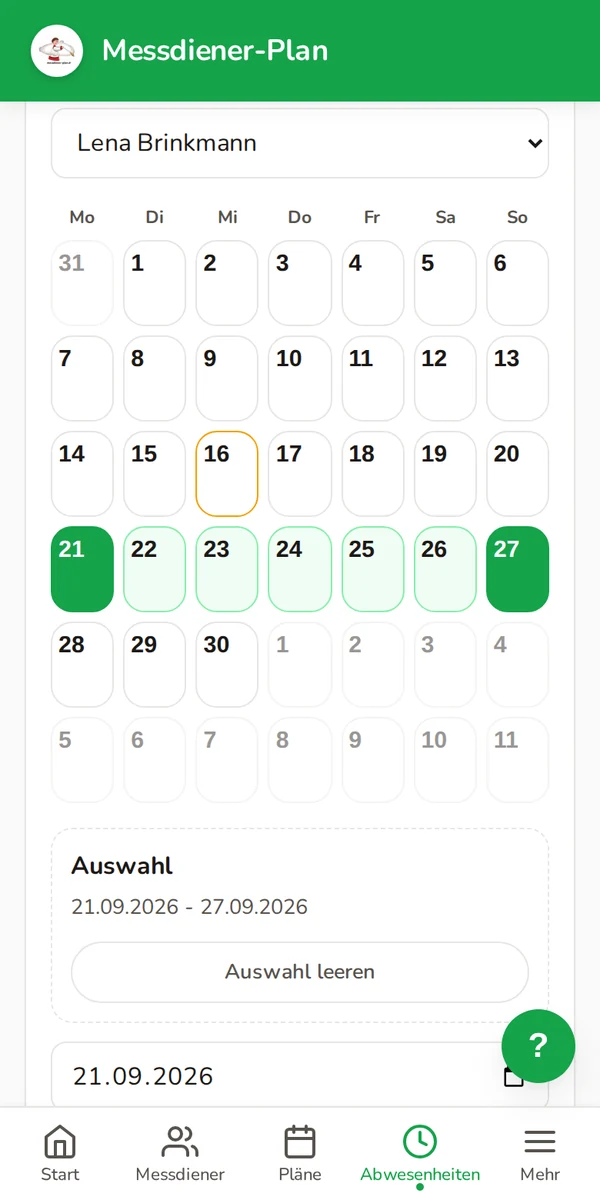
Enter holidays instead of calling the parish office
Away on holiday, on a school trip or at grandma's for the weekend? Just enter those days in the calendar. Your child will not be scheduled during that time — nobody needs to be called about it.
If the schedule is open for self-registration, your child can choose a suitable available service from the pool before the deadline.
- Tap the first and last day, that's it.
- Separately for each child.
- You can delete a period again at any time.
Cancel when something comes up
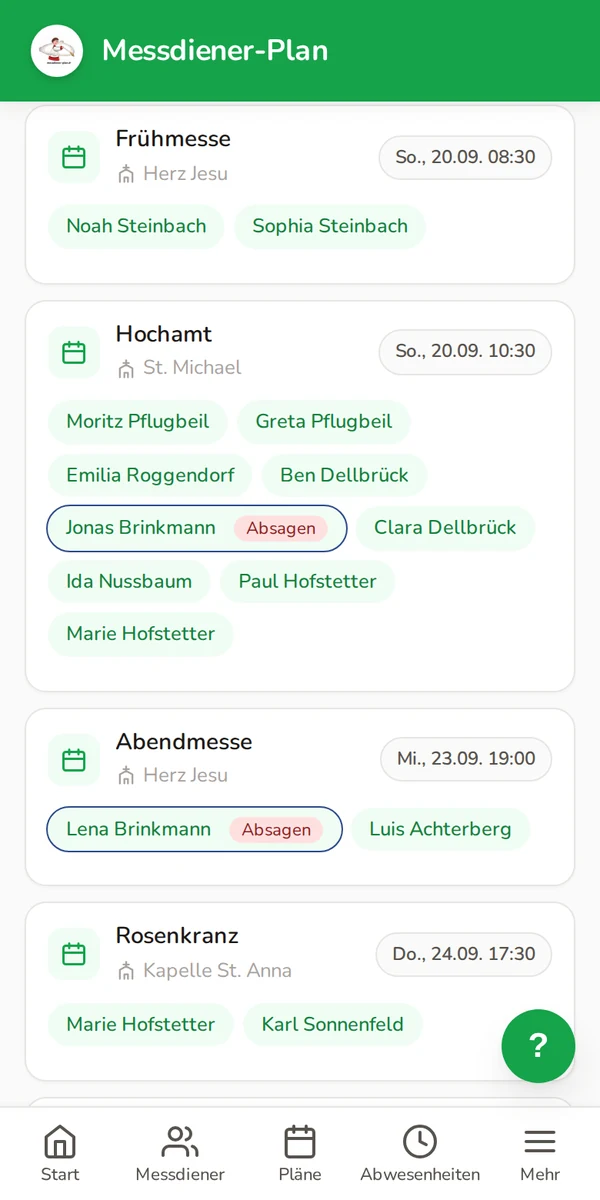
Fallen ill, forgot a birthday, overlooked a family celebration: in the schedule there is a cancel button next to your child's name. The duty becomes free again and other altar servers can take it over.
- Your own children's duties are highlighted in the schedule.
- Shortly before the date you can no longer do it alone — the app then tells you whom to contact.
- The place that opens up appears among the open duties.
Several children, one account
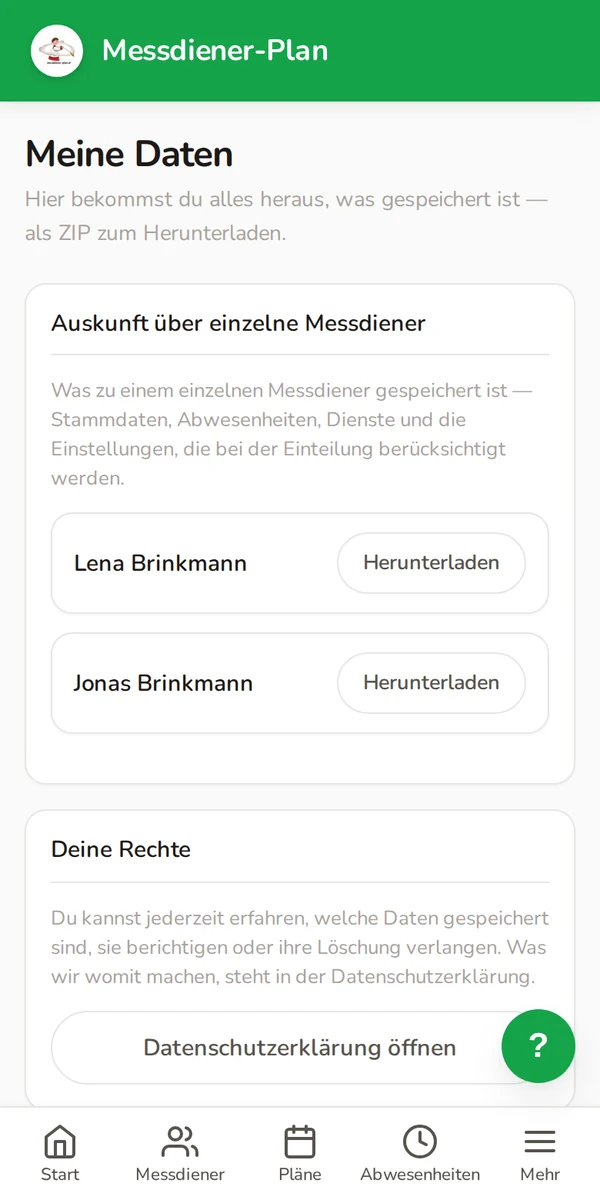
If two or three of your children serve, they appear side by side in one account — no signing in again each time. And you can check what is stored about them.
- One login for the whole family.
- A separate calendar address for each child.
- A report of the stored data as a file to download.
Set it up once, then it runs
Two small things worth doing. Neither takes two minutes.
Duties in your own calendar
- Copy the address next to your child's name in the app.
- Add it to your phone's calendar as a subscribed calendar.
- From now on the duties are there, and new schedules arrive on their own.
Treat the address like a password: whoever has it can see the duties.
The app on your home screen
- Open the page in your phone's browser.
- Then follow the instructions for your browser.
- After that it starts like an app — with its own icon and without an address bar.
You don't need an app store for that.
Install the App: Instructions for iPhone and AndroidYour appointments in the calendar
Set it up once, and the calendar will take care of the rest.
With a tap in your phone's calendar
Just one tap, and the event is added to your phone's calendar. For all your future plans, subscribe to the calendar — then everything updates automatically.
- Just tap the attachment in the plan email or the calendar address—and the event is added to your calendar.
- With a subscription, the phone automatically downloads the new plans.
The attachment in the plan email is a snapshot and applies only to the current plan. The subscription updates automatically, and the way to set it up depends on the device: on the iPhone and the Mac, the "Add to my calendar" button in the app opens the subscription dialog directly. On Android there is no way to do this on the device — you set up the subscription via Google Calendar on a computer.
View the calendar instructions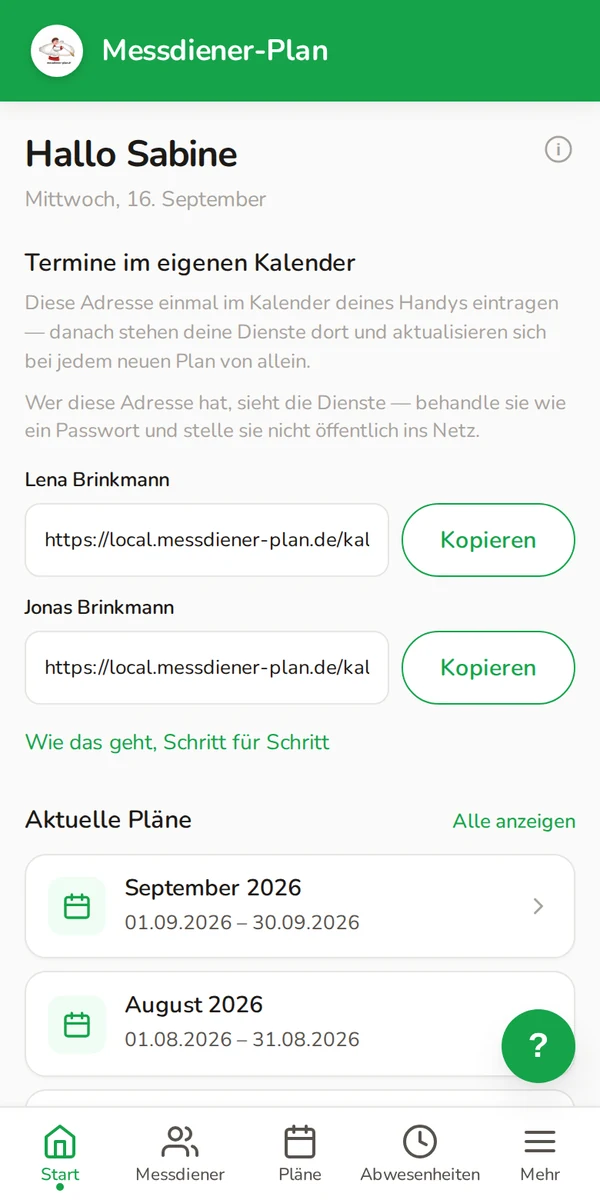
What parents often ask us
Does this cost us anything?
No. The parish pays for Messdiener-Plan. There are no costs for families, not later either.
Does my child have to install anything?
No. The page runs in the browser. If you like, put it on the home screen — nothing is downloaded, and no Google or Apple account is needed.
Where is the data stored?
On servers in Germany. We store what is needed for scheduling. You can download what is held about your children at any time.
Can others see when we are on holiday?
No. You see your own children, other families see theirs. Only whoever creates the schedule knows the periods.
What if my child doesn't have a phone yet?
Then your own account is enough. It shows all of your children who serve — your child does not need a device.
How do we get access?
Through your parish. The parish office creates your account and sends an invitation by email.
Your parish sets up the account
We cannot activate it for you ourselves: the data belongs to the parish, not to us.
For parents
Ask at the parish office or the person who creates the schedule. One sentence is enough: "We would like a parent account for Messdiener-Plan."
For parishes
Still planning with lists and phone calls? Messdiener-Plan creates the schedule — and families get this access along with it, at no extra charge.
Basic: 36,00 € per year
See the offer for parishesDoes your parish not know us yet?
Please provide us with your parish's contact information. We'll check with them to see if they'd like to use Messdiener-Plan.